Delete custom references and "Delete All" custom references not working
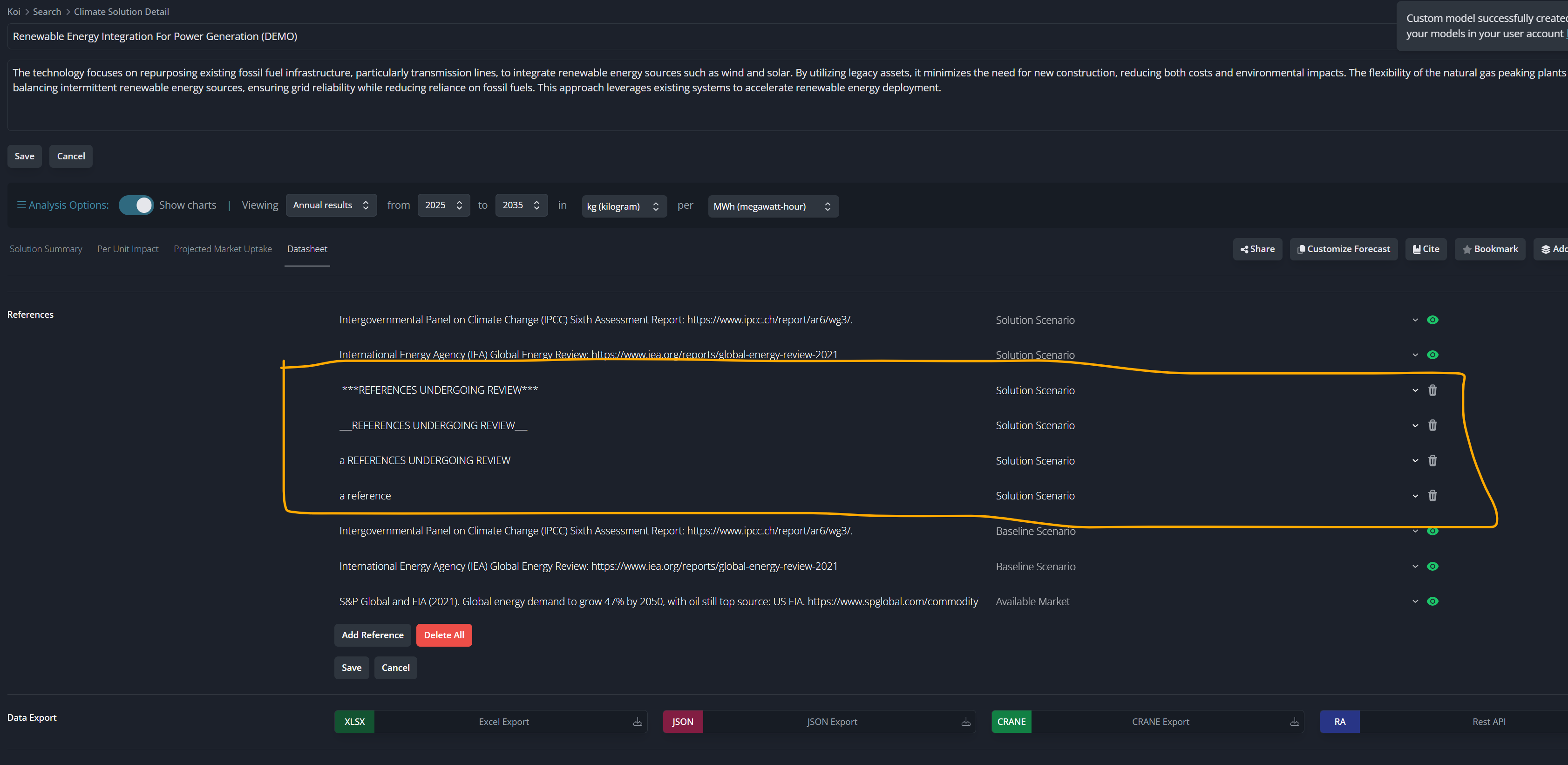
When I hit the trash icon next to these and then hit save, they reappear. The screen then goes to the non-editing mode (expected) and the references are still there. Likewise the Delete All button deletes them on the page, but they then reappear on “Save”
Log in to comment and vote
Comments2
seth.sheldon
Feb 27, 2025
UPDATE: Okay maybe I’ve lost my marbles or just need more ☕. It seems like it’s working okay now. The only difference I can think of in terms of what I did was that I was working in two windows (the original model was in a tab in a Chrome window on one screen and the customized model was in a tab in a different Chrome windwo on another screen). Maybe irrelevant
seth.sheldon
Feb 27, 2025
⚠️Okay, I deleted the old Custom model, and then just discovered that the changes to references that should have been applied to my Custom version (DEMO) were applied to the actual official version, including deleting the old references and adding the new custom one. That’s not expected since changing a custom forecast shouldn’t change the actual reference model.
Here’s the link to the actual model:
https://app.koi.eco/solution-detail/900000/0-6?baselineId=54258&solutionId=54259&tab=ds&startYear=2025&endYear=2035&numUnitId=1403&denUnitId=1391&marketSizeId=765&marketCaptureId=532&captureStartYear=2025
The reference I marked here is the new-supposed-to-be-in-the-custom-model one: