
Changelog

Follow new updates and improvements to Koi.

Explore Our Model Library
What’s new?

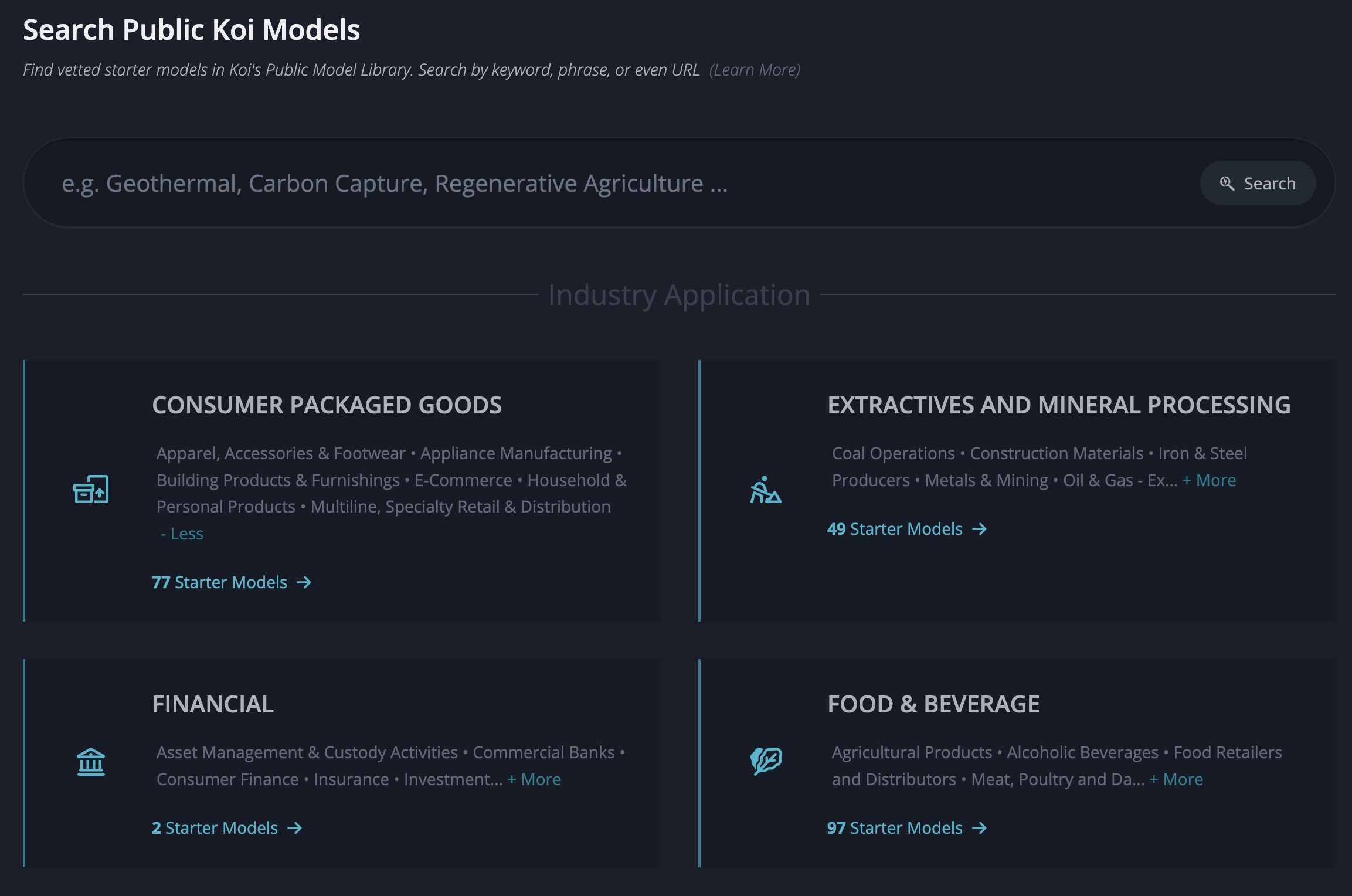
  • Fresh UI - The search experience has been redesigned with a cleaner layout, so it’s easier to find exactly what you’re looking for.

  • Industry applications - Not sure where to start? Browse models grouped by industry to explore what’s available.

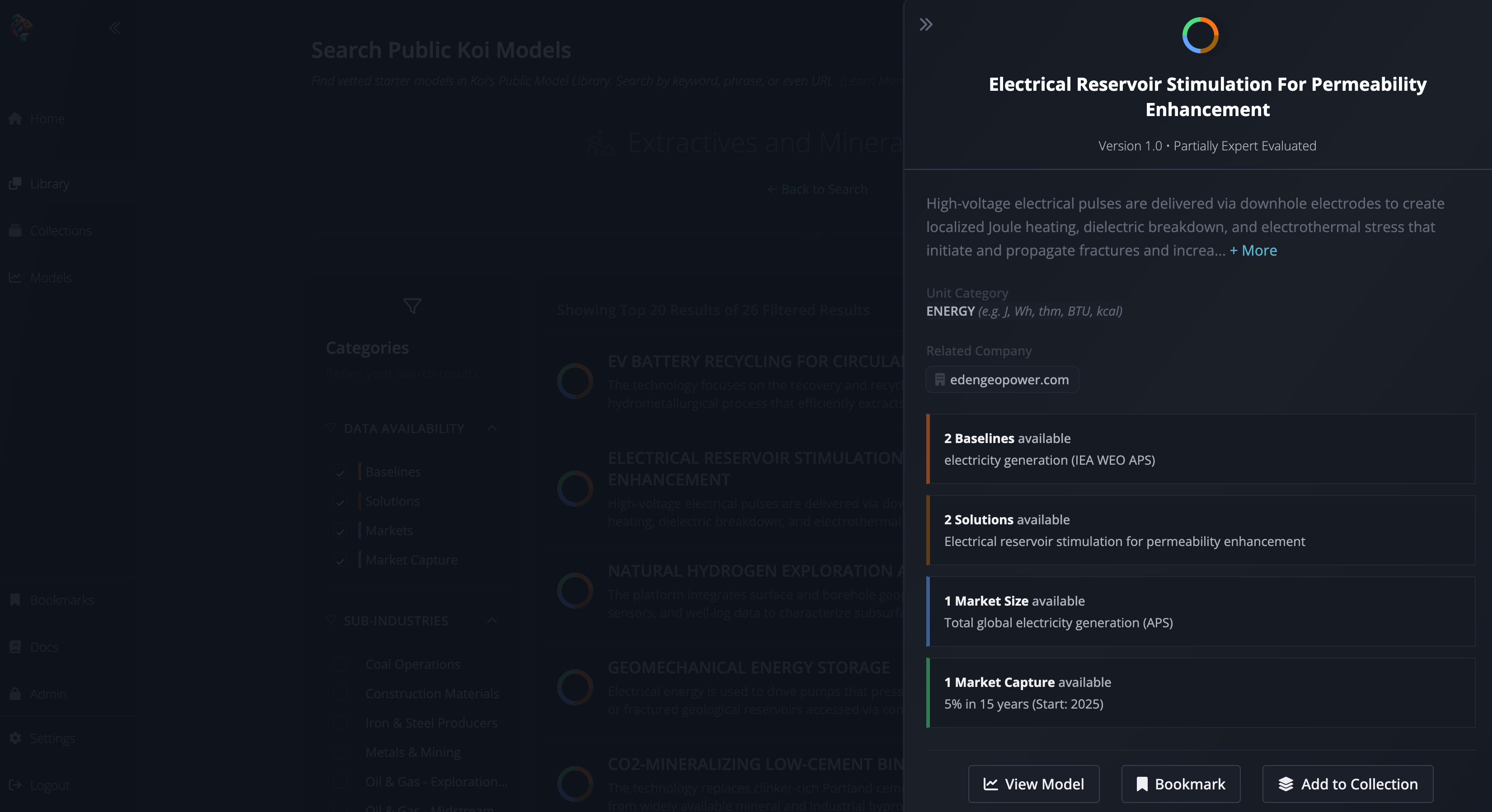
  • Model Previews — Peek into key scenarios and markets right from the search results to decide if a model is worth a deeper dive.
Why is it important?

Finding the right model is the first step to answering your questions. Our library helps you get to the data faster, even if you don’t know the exact model name. Whether you want to browse broadly by sector or zero in on something specific, you now have multiple ways to get there.

How do I use it?

  1. From the Home page, click Model Library or head to Library in the side navigation.

  2. Enter a keyword, phrase, or even a domain URL to surface relevant public models. Alternatively, select an Industry Application to browse grouped models without needing a starting term.

  3. Use the Preview panel in results to check out scenarios and markets before deciding whether to open the full model.

FAQ

  • What counts as an Industry Application?
    Industry Applications are curated categories derived from the SASB (Sustainability Accounting Standards Board) industry classification system. They bundle together public models so you can explore an entire theme in one place.

  • Can I search using a company website?
    Yes—if you enter a domain URL, we’ll show you public models connected to that company’s technology or industry.

  • What if I don’t find what I need?
    Keep an eye on the Library—we’re adding new public models regularly. You can also request a model from the Koi team if there’s a gap.
Versioned Edits: Track your model updates

What’s new?

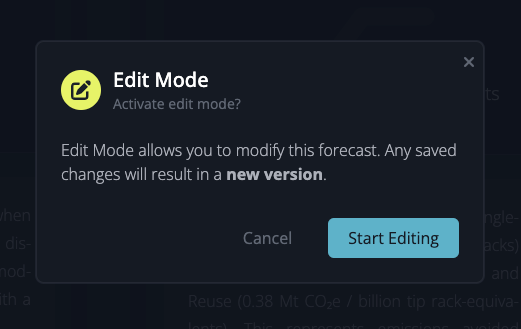
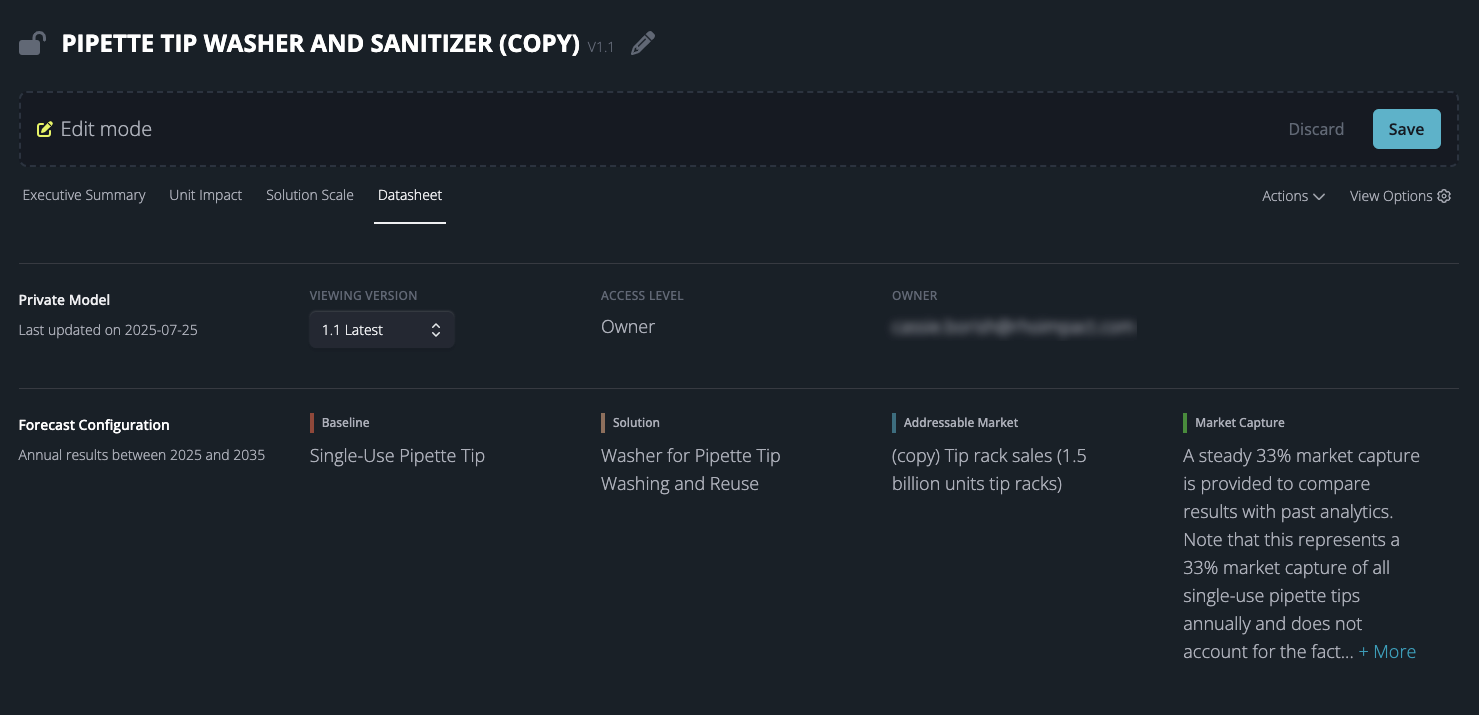
  • Edit Mode — we gave editing features a facelift for a cleaner UI and to prevent inadvertent changes.

  • Version History — edits to models result in a new version, so the history of changes is preserved and auditable.

Why is it important?

Versioned edits provide a complete, tamper-proof record of every change to your Koi models. You can trace how data inputs evolved over time, refer to older versions if a new version produces unexpected results, and demonstrate to regulators or stakeholders that your impact forecasts are accurate, reproducible, and rigorously governed.


How Do I Use It?

Edit Mode

To modify a private model, select Edit Mode from the Actions menu. A pencil icon or Edit button will appear next to editable components, which include:

  • Model name

  • Addition or removal of scenarios and markets

  • Details for baseline and solution scenarios

  • Value chain phases for baseline and solution

  • Addressable market details and values

  • Market capture parameters

  • References

You can preview your edits in real-time. Once satisfied, click Save in the upper right corner. You will then be prompted to classify your changes as either Major or Minor to help maintain a clear version history of your model. Once saved, your modifications will be reflected in the model.


Who is this for?

  • Impact Analysts evaluating how changes to assumptions or data inputs affect avoided‐emissions forecasts

  • Compliance Teams needing a complete trail of edits for regulatory reporting

  • Stakeholders & Reviewers who want to see when and why key model parameters were adjusted


FAQ

  • How do I view earlier versions? 

To view earlier versions, go to a model's Datasheet and select the desired version under Viewing Version.

  • Who can view my changes? 

Once a new version is saved, anyone with access to the private model can see the updated version.

  • Is there a limit to how many versions are stored? 

No - make as many updates as you’d like, and retain all of the historical context.

Koi Studio

What’s New?

Koi Studio is here! We have revamped the ways in which you access the tools and data inside Koi.

Why is it Important?

Koi has evolved to become a comprehensive modeling and collaboration suite and it was time to refresh the product interface to more adequately support core workflows. The new Koi Studio layout provides more rapid access to the key tools and features within Koi and is the beginning of a series of features we’re rolling out focused on collaboration and sharing across startups, investors, and asset owners.

How Do I Use it?

Easy! Just log in!

Pro Tip

Please give us feedback! We greatly appreciate any and all feedback, bug reports, feature requests, and more. Send us an email to feedback@koi.eco or submit directly at https://product.koi.eco